Related Articles |
| Personalize the site settings |
| Branding your experience |
| Setup Users |
As an Admin user you have the ability to control your ACH bank accounts on ipfs.com.
- Track your ACH accounts.
- Add, Split or Combine ACH accounts.
- Replace/Edit ACH accounts.
- Name your ACH accounts for easier recognition.
Disbursement Options
- Use one ACH account for all disbursements.
- Use two separate ACH accounts for disbursements.
- Trust Account for Net Premium.
- Operating Account for Policy Commissions & Fees.
Adding, replacing or editing ACH accounts require approval from IPFS. Be sure to complete all required fields marked with an asterisk when entering ACH account information.
All Admin users will receive an email notification of the request as well as when the IPFS review is completed.
View Active ACH Accounts on the Bank Info page.
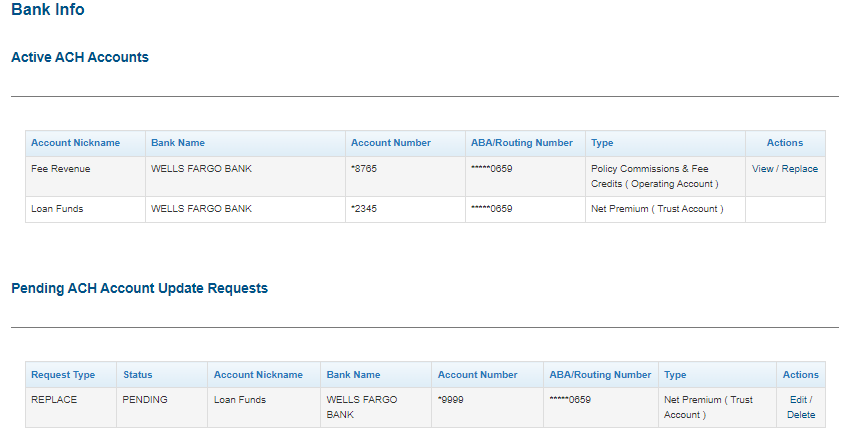
View Pending ACH Account Update Requests to follow the progress.

In the event that the ACH account request is not approved, you will see notes when you view the request.