ipfs.com| Branding Configuration - Control Your Experience
Related Articles |
| Personalize the site settings |
| Setup Users |
| Fee Disclosure |
| Admin FAQ's |
Branding allows you to implement your logo, preferred color scheme, and custom URL on IPFS platforms.
In Branding Configuration:
 |
- Choose either Co-Branding (retains IPFS logo) or White Label (removes IPFS logo).
- Enter the Custom URL. _________ .ipfs.com
- Drag and drop the logo:
- Image width should be between 8846px and 77px.
- Image height should be between 3000px and 50px.
- The height to width ratio must be 1:4.
- PNG format only with a maximum file size of 10MB.
-
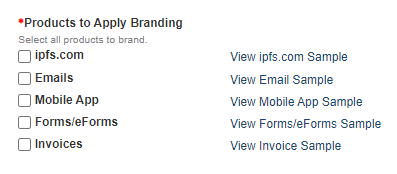
Select the products to apply the branding to. This includes the website, emails, mobile app, forms, and invoices.
-
You can exclude specific invoices and forms from branding if you choose.
- Choose the color or type the hex color code. [Hex is displayed as #xxxxxx.]
- Preview and then Save your setup.
- IPFS will review the configuration and if approved, it will be deployed to the site.
- Changes can be made by choosing update and resubmitting the configuration.
The information contained herein is confidential an proprietary. Recipients will respect the confidentiality of this material and not disclose to any third party any of the contents of this document without first obtaining written approval from IPFS. Copyright © 2026 IPFS Corporation. All rights reserved. 09/11/26