ipfs.com| Insured Registration
Related Articles |
| Insured Features FAQ |
| Insured Alert Preferences |
| eSign and AutoPay |
Account Holders can register with a Web Access Code (WAC).
- Account holder Web Access Codes are found on all IPFS® correspondence, including coupons and notices.
- From the top of the Home page select Register Account.
-
Enter the Web Access Code and Zip Code and choose Register. Registe
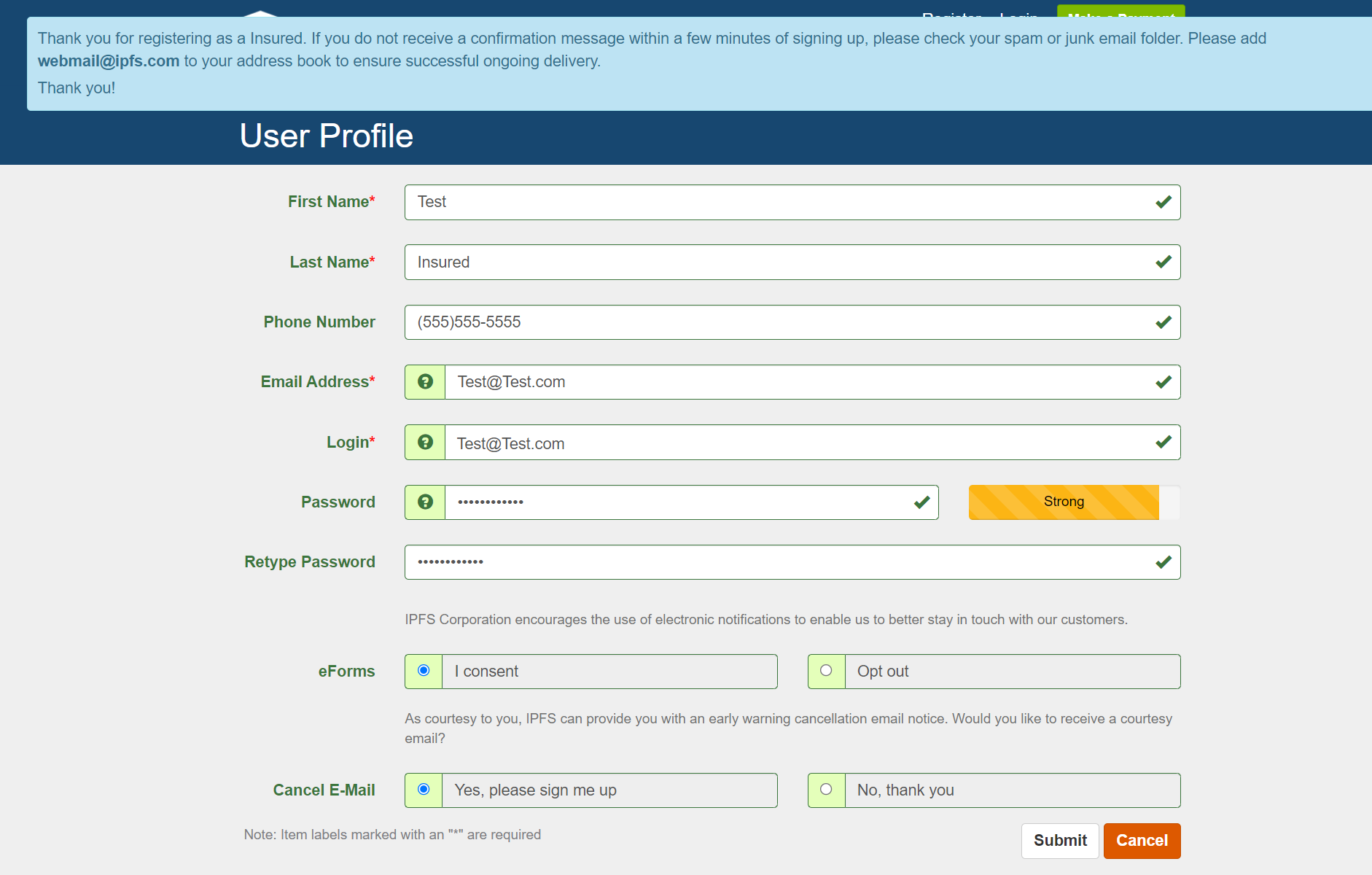
- Enter the demographic information (First and Last Name, Phone, email, Login ID, Password)
- Opt into eForms - defaults to "I consent"
- Opt into Cancel email- defaults to "Yes please sign me up".
- Select Submit.
- If enrolling in eForms - At the eForms Enrollment confirmation popup, download the consent. Choose "I Consent" and continue.
- Enter the demographic information (First and Last Name, Phone, email, Login ID, Password)
- An email confirmation message is sent to the insured. Add webmail@ipfs.com to the email provider's address book.
- Password and/email changes can be completed after login in from Settings > My Profile.
- User Already Exists? - This means the account has been registered. Select Forgot or Reset Your User ID or password. Enter the zip code and email address on the account to reset the password.
The information contained herein is confidential an proprietary. Recipients will respect the confidentiality of this material and not disclose to any third party any of the contents of this document without first obtaining written approval from IPFS. Copyright © 2026 IPFS Corporation. All rights reserved. 09/11/26