ipfs.com| IPFS TotalPay Insured Selects Payment
Related Articles |
| IPFS TotalPay Start Guide |
| IPFS TotalPay Status |
| Pay in Full Only Quote |
| Payment FAQ |
Create a quote, or multiple quotes, using the Copy Quote function. Quotes can vary by premium, coverage, down payment, and installment options.
Once you Create a New Quote or multiple quotes, you can send them to the insured to choose a payment option and submit a payment.
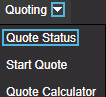
- Navigate to Quoting > Quote Status
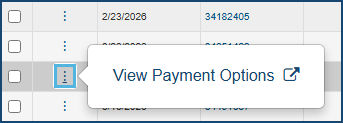
- From the Quote Status screen, in the Action Column, select the ellipsis (...) and then select View Payment Options.
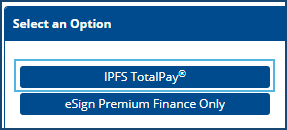
- If prompted, select IPFS TotalPay.
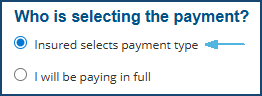
- Select the payment type: Insured Selects Payment type.
- Choose who will email the insured: IPFS or I will email the insured.
- I will email the insured provides a payment link after you save the quote. You can copy the link and send it in your own email.

- If you select, IPFS will email the insured, an email will automatically be sent to your insured email address from the sender: Do-Not-Reply@ipfs.com.
- Agree to the Terms and choose Submit.
- If you are restricted from signing the PFA, and you send the payment request to the insured first, the insured will be prompted to select an Authorized User to complete the PFA signing. This step is not required when the insured is shown Pay in Full only (available through special programs).
The information contained herein is confidential an proprietary. Recipients will respect the confidentiality of this material and not disclose to any third party any of the contents of this document without first obtaining written approval from IPFS. Copyright © 2026 IPFS Corporation. All rights reserved. 09/11/26