ipfs.com| IPFS TotalPay Start Guide
Related Articles |
| Pay in Full Quote |
| IPFS TotalPay Insured Selects Payment |
| Payment FAQ |
IPFS TotalPay® is a payment platform which allows insureds the ability to premium finance insurance policies or pay them in full.
Want to sign up or get more information? Reach out to your Sales Executive. To schedule a demo, visit our IPFS TotalPay Information Page.
Step 1 - Quote
- Select 'New Quote'
- Select or create 'New Insured'
- Enter all required policy information & save Quote.
- Select the payment option:
- Choose IPFS TotalPay to offer both Premium Financing and Pay-In-Full options to the insured.
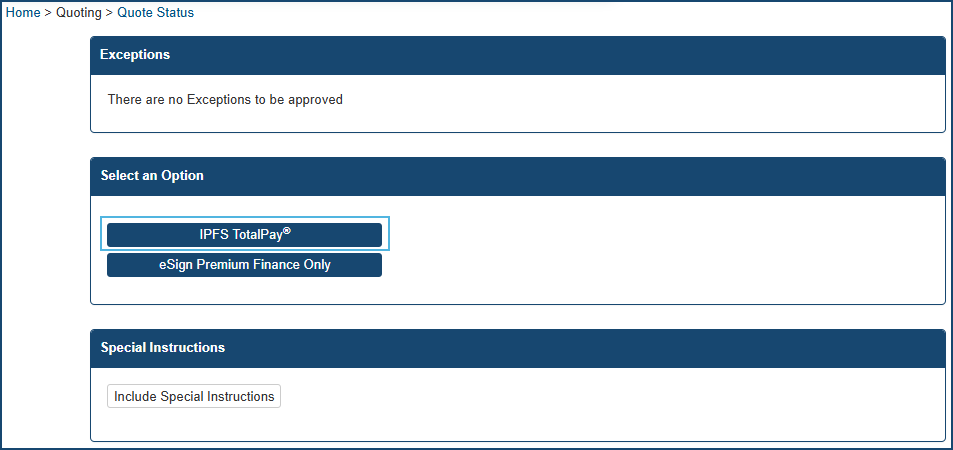
Step 2 - Select Who Will Complete the Payment
After selecting TotalPay, you will be prompted to indicate who will complete the payment process:
- Insured (Insured selects payment type)
- Agent
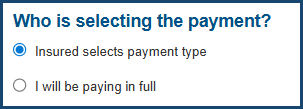
This determines who will be presented with the payment workflow.
Step 3 - Select how you want to send the payment link to your insured
Select your option and click submit at the bottom of the page.
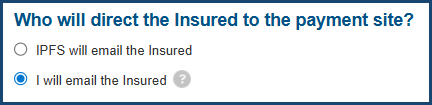
- If you select, IPFS will email the insured, an email will automatically be sent to your insured email address from the sender: Do-Not-Reply@ipfs.com.
If you select, I will email the insured, follow the steps below to retrieve the payment link.
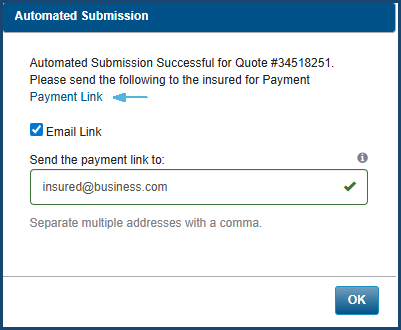
- Locate the hyperlink labeled 'Payment Link'
- Copy the 'Payment Link' to send directly to your insured.
- Note: The checkbox option on this screen emails the link to you (the agent), not the insured. To avoid confusion, we recommend copying the link manually and sending it through your chosen communication method.
- If we fund the market directly, a screen will appear so you may select your preferences before proceeding.
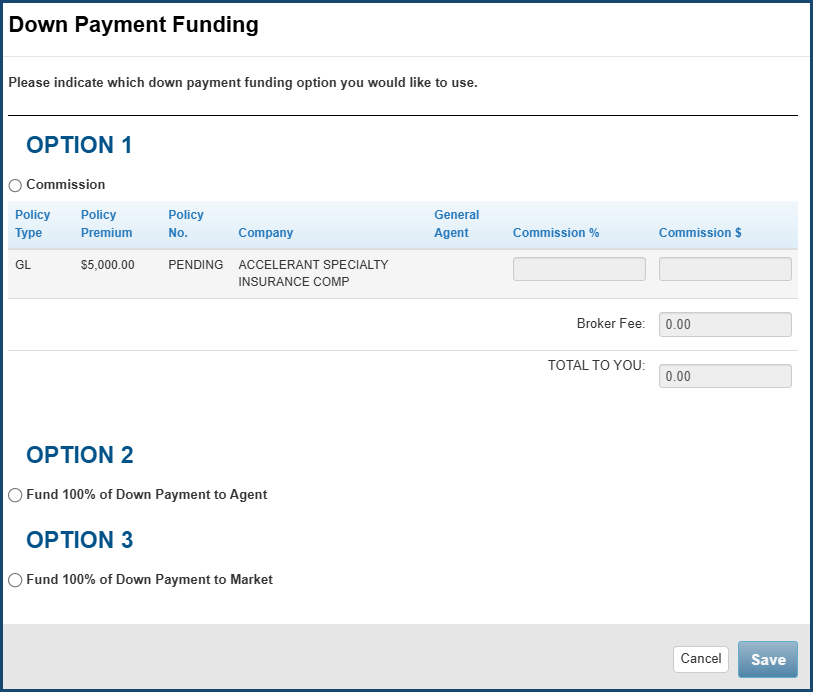
Congrats! You have successfully sent an IPFS TotalPay payment link to your insured!
- Friendly reminder, if you're insured elects to pay-in-full, the subtotal will be deposited into your AndDone merchant bank account that is designated to receive paid-in-full payouts. The details of the depositwill be itemized on your IPFS ACH Funding Report.
What the Insured Sees (Payment Experience)
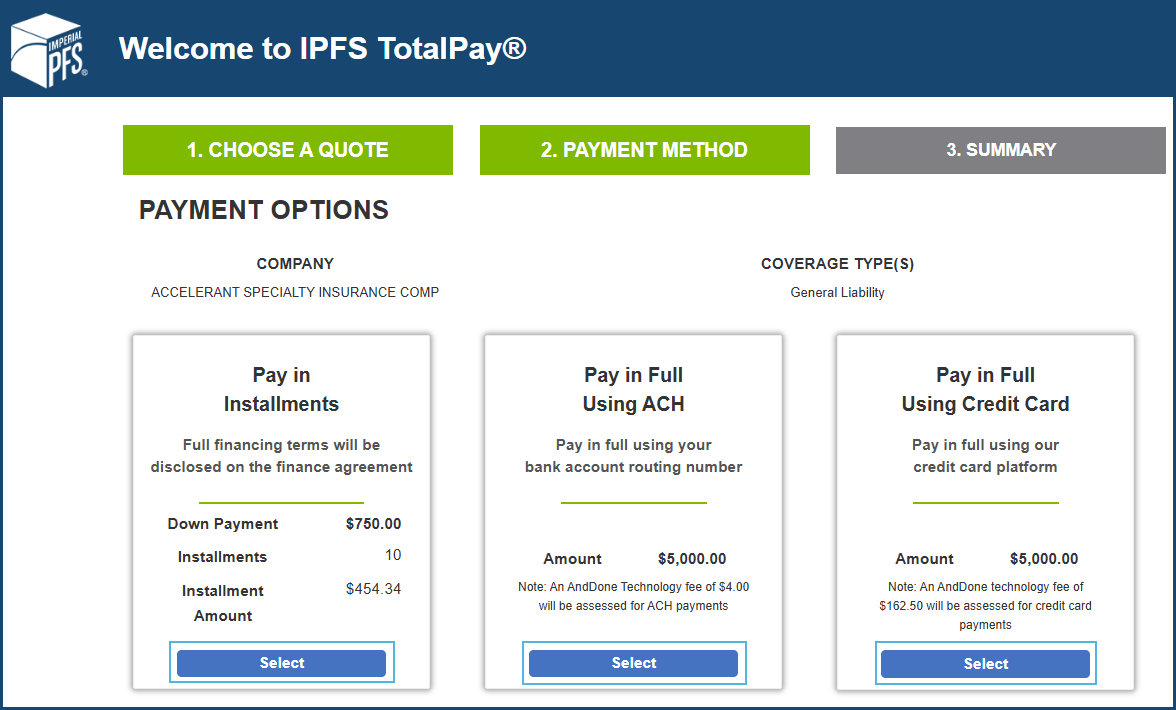
When your insured clicks the Payment Link, they will see all available payment options.
- Premium Financing (via IPFS)
- Pay in Full via ACH
- Pay in Full via Credit Card
They can choose the option that best fits their needs and complete the payment securely.
Check the Quote Status
Navigate to the Quote Status Screen. See IPFS TotalPay Status for a description of statuses.

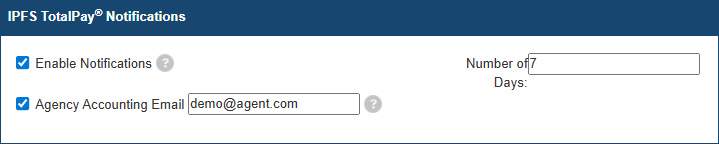
IPFS TotalPay Notifications Preferences
Visit Settings > My Preferences > IPFS TotalPay Notifications
The information contained herein is confidential an proprietary. Recipients will respect the confidentiality of this material and not disclose to any third party any of the contents of this document without first obtaining written approval from IPFS. Copyright © 2026 IPFS Corporation. All rights reserved. 09/11/26